
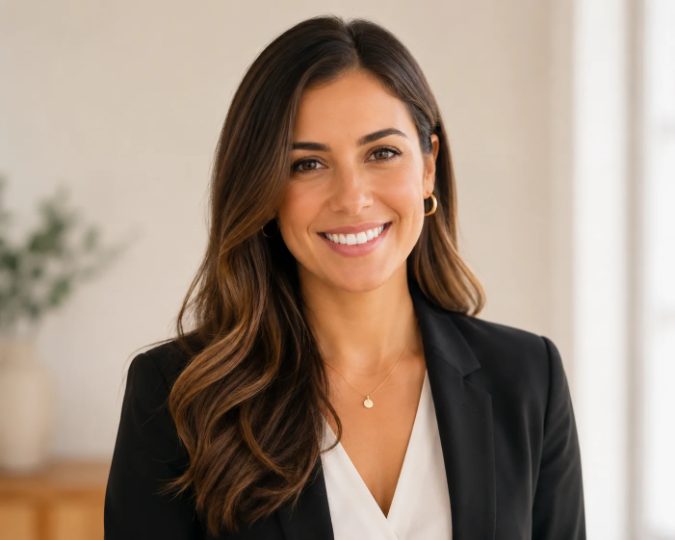
A biography page asks the reader to trust a face before the first paragraph earns that trust. The portrait may sit beside a career timeline, an interview, or a profile of a public figure. That makes the image part of the record’s tone, not a decorative sticker. A doctor headshots workflow offers a useful test because it is built around recognisable professional identity.
AI changes the editorial question. An editor no longer has to choose between an old selfie and an expensive studio booking, but a polished result can still create a problem if it alters the person’s face, role, or setting. A biography reader should not need to guess whether the subject would recognise the image or approve the impression it creates.
ProfessionalHeadshot starts with 5–20 casual photos, lets the user select an industry, outfit styles, and backgrounds, and returns 40–100 professional portraits. The product positions the files for professional profiles, company pages, and press material. That workflow can help an editor find a clean profile image, but the editor still owns the question that matters: does this portrait support the person’s public identity without inventing a new one?
A Biography Page Carries More Than A Face
Readers use a portrait to build a quick mental picture of the subject. A calm, recognisable image can make a long biography easier to enter. A glossy image that changes the person’s apparent age, profession, or manner can pull the reader in the wrong direction. The caption may identify the subject, but the visual tone has already made a claim.
This matters even more when a site covers actors, entrepreneurs, athletes, artists, or public commentators across different sections. The same image standard cannot fit every profile. A medical expert may need a white coat or a restrained studio background. A performer may need a more expressive look. An editor should select the portrait that describes the subject’s public work, not the one that looks most expensive in isolation.
A public biography also has a longer shelf life than a campaign ad. The page may be updated, translated, quoted, or linked from another article months later. If the image only works because the viewer assumes it was taken at a real event or in a real office, the page has taken on a fact it cannot defend. The portrait needs to remain honest after the surrounding context changes.
Public Trust Breaks At Three Small Choices
An editorial review protocol can stay short. The editor should compare the generated options against the person’s known appearance and the role described by the article. The most damaging failures usually appear in three ordinary choices.
The Face Must Remain Recognisable Across Versions
Start with the eyes, jawline, hairline, and the shape of the smile. A portrait can smooth skin and improve light without changing the person’s basic structure. A large gallery view can flatter a candidate. Set it alongside an authorised interview image and stop if the face becomes unfamiliar. A small change may seem harmless in a standalone file, but it becomes visible when readers compare two pages from the same site.
Use the smallest crop the page will display. A circular avatar can hide the shoulders and background, while a wider biography header exposes more of the clothing and setting. A candidate that turns unreadable or changes expression under the crop is discarded. That rule keeps visual polish from outrunning recognition.
Clothing Should Describe The Role Not Rewrite It
Clothing sends a fast signal about authority, work, and distance. A white coat can identify a physician, while a blazer may fit a founder, consultant, or administrator. The image should not place a person in a costume that implies a credential the biography never mentions. A journalist may write about a doctor’s research without making every photo look like a hospital promotion.
ProfessionalHeadshot offers medical, legal, executive, and other professional style directions. The editor can use that range to match the subject’s actual work, but should reject a look that turns a nuanced career into a stock character. A public profile gains credibility from a fit between the image and the words around it.
Background Should Support The Record
A clean white or light gray studio background keeps attention on the face and works across many profile formats. A blurred office or clinical setting can add warmth, but it can also suggest a workplace the subject never used. The safest choice is the background the editor can describe without inventing a location.
That distinction helps when the site publishes biographies from many countries and industries. A neutral background can travel between sections. A specific-looking office or stage should appear only when the article has a reason to show it. The image should give the reader context, not a fictional set.
A Source Set Should Inform The Portrait Choice
The editor does not need to manage the generation step, but the source set affects the reliability of the review. A few clear photos from different angles give the system more information than one flattering selfie. Heavy shadows, sunglasses, and repeated poses make it harder to decide whether a strange output comes from the chosen look or from the input.
The safest commissioning note asks the subject to supply current photos that show the face clearly. It should also state the intended use: biography page, interview card, press profile, or speaker introduction. That sentence gives the subject a chance to object to a style before the gallery exists, and it gives the editor a reason to select one version over another.
ProfessionalHeadshot.io makes a large set available from a small upload, so the editor should narrow it instead of publishing a gallery. A good handoff has one approved master, one crop with more shoulder room, and one alternate only when the page needs it. More files do not create more authority. They create more chances for two pages to show different versions of the same person.
Use A Controlled Portrait Review Before Publishing
A controlled review separates identity from taste. The editor can ask two questions of every candidate: would the subject recognise this as themselves, and could the article defend the setting and role implied by the frame?
Check The Face Against Known References
Place the candidate beside an authorised photo from a recent interview, conference page, or public profile. The comparison is not a demand for identical lighting. It checks whether the person remains the same person under a new presentation. If the face becomes warped, the eyes lose their normal spacing, or the expression suggests someone else, the file would never clear editorial review.
Read The Image Without The Caption
Hide the name and read the portrait as a stranger would. Does the clothing make a reasonable promise about the subject’s work? Does the background add a claim that the text never supports? Does the image look like a professional profile or like a promotional scene? If the answer depends on a caption explaining what the viewer should believe, the editor has selected the wrong file.
The cost of this check is small compared with a later correction. A biography can be republished in newsletters, social cards, and search previews. Replacing a misleading portrait after those copies spread creates re-work for the editorial desk and confusion for the subject.
Compare A Portrait Pack With A Studio Session
A studio session offers live direction, physical lighting, and a photographer who can respond to the subject in the room. That is valuable when the article needs a commissioned cover image or a portrait with documentary weight. A generated pack solves a different problem: the editor needs a clean, approved profile file and the subject cannot share a studio schedule.
- Choose a studio when the shoot itself is part of the story or the setting must be physically true.
- Choose a generated pack when the subject needs several professional options for bios, profiles, and press pages.
- Keep the editorial gate in both cases: check resemblance, role, background, and the crop used by the page.
The product’s terms assign the generated photos to the customer and include commercial and personal usage rights without attribution. That helps a publisher use an approved image across its own profile formats, but ownership does not settle accuracy. The subject’s consent and the editor’s description of the image still matter.
Where The Portrait Still Needs Editorial Judgment
A generated portrait cannot document an event, prove a workplace, or replace a commissioned image when physical truth is part of the story. It also cannot decide whether a subject wants an image used in a public biography. ProfessionalHeadshot can supply options, but the editor must keep the final file inside claims the article can support.
Publish The Person You Can Defend
The service is a reasonable fit for profile pages that need a clean, current-looking portrait and a practical alternative to an unavailable studio slot. It is a weaker fit when the image must function as documentary evidence or when the subject’s appearance cannot be represented by an AI-generated variation.
A careful editor can use the service without weakening the biography. Request current source photos, choose a role-appropriate style, compare the result with known references, and publish the smallest approved set. The goal is a portrait that opens the article with confidence and leaves the facts to do the rest of the work.
