
Automate Your Backlink Workflow
| Pricing note: Prices and plan features can change. The figures in this comparison reflect the vendors’ published information reviewed in July 2026. Confirm current limits, integrations, and billing terms before subscribing. |
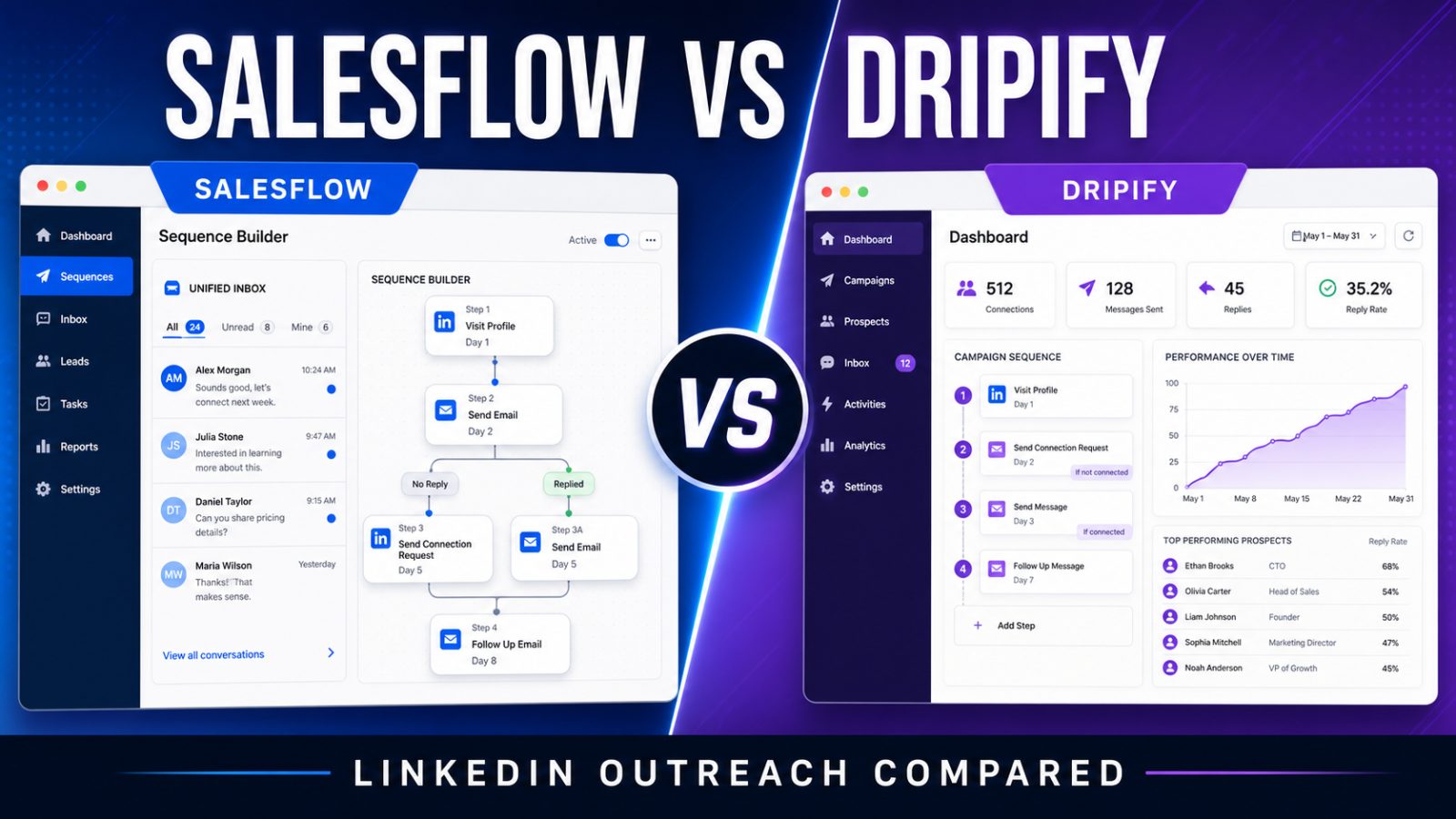
Salesflow and Dripify are cloud-based outreach platforms designed to reduce repetitive LinkedIn prospecting work. Both can build automated sequences, personalize messages, manage replies, and report on campaign performance. The practical difference is audience: Dripify is easier to approach as a solo user or small team, while Salesflow puts more emphasis on multichannel operations, larger teams, agencies, integrations, and scalable seat pricing.
Neither tool can rescue weak targeting or generic messaging. LinkedIn automation also carries platform risk. Daily limits, randomized activity, and dedicated IP features may help users control behavior, but no third-party automation tool can guarantee that an account will never be restricted. The best choice is the one that supports a careful, relevant outbound process at the scale the team actually needs.
Quick Verdict
Choose Dripify if you want a polished LinkedIn-first workflow, a lower entry price for one user, straightforward campaign building, and an accessible free trial. Choose Salesflow if you need conditional LinkedIn and email workflows, unified team operations, HubSpot or Zapier connectivity, dedicated support, white-label or API options, and lower per-seat pricing at larger team sizes.
Salesflow vs Dripify at a Glance
| Category | Salesflow | Dripify |
| Best for | Teams, agencies, multichannel outreach, API and white label | Solo users and small teams wanting a LinkedIn-first workflow |
| Starting monthly price | $99 for one Basic seat | $59 for Basic |
| Annual entry price | Seat discounts depend on team size and term | $39 per user/month for Basic |
| Channels | LinkedIn/social plus email workflows | LinkedIn plus email sequences |
| Campaigns | Multiple and conditional workflows | One campaign on Basic; unlimited on higher plans |
| Inbox | Unified inbox with filters and team organization | Dedicated inbox on Pro and above |
| Integrations | Native HubSpot, Sales Navigator, Zapier, API options | Webhook and Zapier on applicable plans |
| Team scaling | Tiered per-seat pricing improves with volume | Simple per-user plans and an enterprise option |
Salesflow
Salesflow positions itself as a social and email outreach platform for sales teams, startups, agencies, recruiters, and developers. Its workflow builder can combine connection requests, messages, Open InMails, email, profile visits, post likes, and skill endorsements. Conditional paths allow a sequence to change based on connection status, email availability, and engagement.
The platform is especially appealing when outreach needs to be managed across several representatives or clients. A unified inbox keeps campaign conversations together, while reminders, filters, templates, scheduled sending, and reporting reduce the administrative burden of checking each account separately. Salesflow also promotes native HubSpot connectivity, Sales Navigator compatibility, Zapier support, and broader API or white-label capabilities.
Salesflow strengths
- Conditional LinkedIn and email workflows in one sequence.
- Unified inbox and reporting for team oversight.
- Native HubSpot integration and Zapier connectivity.
- Dedicated IP, randomized activity, and invitation-management controls.
- API and white-label options for agencies or software companies.
- Per-seat pricing falls substantially as team size increases.
Salesflow limitations
- The $99 single-seat monthly price is expensive for a solo prospector.
- The strongest pricing requires minimum seat counts and may require a longer commitment.
- Its broader operational feature set may be more than a small user needs.
- A demo or sales conversation may be necessary for larger plans and specialized capabilities.
Dripify
Dripify is a LinkedIn automation and lead-generation platform built around visual drip campaigns. Users can arrange actions, delays, and conditions, import leads, personalize messages with variables, monitor campaign analytics, and manage replies. The product works with LinkedIn Basic, Premium, Sales Navigator, and Recruiter Lite accounts.
Its main advantage is accessibility. The interface is designed to make sequence creation approachable, and the entry plans are easier to justify for one person. Dripify currently advertises a seven-day free trial without a credit card. It also includes cloud-based operation, activity controls, local IP behavior, lead-duplication safeguards, and human-behavior simulation features.
Dripify strengths
- Lower starting price for individual users.
- Visual sequence builder with templates and personalization variables.
- Compatibility with common LinkedIn account types.
- Campaign analytics, lead management, and team subscriptions.
- A dedicated inbox, CSV export, and webhooks on higher plans.
- Seven-day free trial with no credit card required.
Dripify limitations
- The Basic plan is restricted to one drip campaign and lower quotas.
- Important workflow features require Pro or Advanced pricing.
- It is less focused on large-scale white-label and embedded outreach use cases.
- Per-user pricing may become less attractive than volume-based alternatives for large teams.
Pricing Comparison
Salesflow’s Basic plan is listed from $99 per seat for one or more users. Published team tiers lower the price to approximately $70 per seat for at least five seats, $39.95 for at least 20, $29.98 for at least 50, and $24.99 for at least 100. Exact discounts, included features, and commitment requirements vary by plan. This structure makes the product expensive for one person but increasingly competitive for a large deployment.
Dripify lists Basic at $59 monthly or $39 per user per month when billed annually, Pro at $79 monthly or $59 annually, and Advanced at $99 monthly or $79 annually. An enterprise option uses custom pricing. Basic includes one campaign and limited quotas, while Pro adds unlimited campaigns, full quotas, a dedicated inbox, CSV export, and webhook integration. Advanced adds further safeguards and controls.
For one user, Dripify is the clear price winner. At 20, 50, or 100 seats, Salesflow’s volume pricing can reverse the calculation, especially when its inbox, multichannel workflow, integrations, and management features replace other tools.
Campaign Builder and Automation
Both tools can automate common LinkedIn actions and follow-up sequences. Dripify’s visual builder is easier for a first campaign and provides templates for common flows. Salesflow offers a more operations-oriented builder with conditional branches spanning social and email actions. The better builder depends on whether the user values immediate simplicity or more flexible multichannel logic.
Avoid judging automation quality by maximum action counts alone. Acceptance rate, response quality, targeting accuracy, personalization, and account health are more useful. Aggressive quotas can create more noise without producing more pipeline.
Inbox, CRM, and Integrations
Salesflow’s unified inbox is one of its strongest team features. It is designed to centralize LinkedIn, Sales Navigator, Open InMail, and campaign conversations, then organize them with templates, filters, tags, reminders, snoozing, and scheduled messages. Native HubSpot integration and Zapier connectivity make it easier to keep activity synchronized with a wider sales stack.
Dripify includes lead management and a centralized dashboard, but its dedicated inbox starts on Pro. CSV export and webhook integration also sit above the Basic tier. That packaging is reasonable for individual users who want to start small, but a team should compare the plan it will actually need rather than the advertised entry price.
Analytics and Team Management
Dripify provides campaign statistics, conversion rates, daily usage data, and team subscription management. Salesflow emphasizes unified campaign intelligence, team reporting, client oversight, and support for larger deployments. Agencies managing many sender accounts will generally find Salesflow’s architecture more aligned with their workflow.
Before choosing either tool, define the metrics that matter: connection acceptance, positive reply rate, meetings booked, qualified opportunities, revenue, and unsubscribe or complaint signals. Activity totals can look impressive while hiding weak commercial outcomes.
Safety and Account Risk
Salesflow advertises cloud operation, dedicated IPs, randomized actions, automatic invitation withdrawal, and controls intended to reduce duplicated or abrupt activity. Dripify lists cloud-based performance, local IP behavior, activity controls, lead-duplication security, and human-behavior simulation. These safeguards are useful controls, not guarantees.
| Important: Third-party LinkedIn automation can conflict with platform rules and may result in limits or account restrictions. Use conservative settings, send relevant messages, monitor acceptance and complaint signals, and keep a manual review process for sensitive campaigns. |
Which Tool Is Better for Each User?
Choose Salesflow if you:
- Manage outreach for a growing sales team or several clients.
- Need LinkedIn and email actions in conditional workflows.
- Want native HubSpot connectivity or extensive Zapier automation.
- Need a unified inbox and centralized oversight.
- Plan to use API, white-label, or embedded outreach capabilities.
- Can benefit from volume-based seat pricing.
Choose Dripify if you:
- Are a solo founder, recruiter, consultant, or small sales team.
- Want a lower-cost way to begin LinkedIn automation.
- Prefer an approachable visual campaign builder.
- Need a free trial before entering payment details.
- Do not require extensive agency, API, or white-label infrastructure.
Frequently Asked Questions
Is Salesflow better than Dripify?
Salesflow is generally better for multichannel team operations, agencies, integrations, and high seat counts. Dripify is generally better for an individual or small team that wants a simpler and less expensive starting point.
Which tool is cheaper?
Dripify is cheaper for one user. Salesflow can become cheaper per seat for larger teams because its published pricing falls as minimum seat counts increase.
Do both tools support email?
Yes. Both vendors advertise LinkedIn and email sequence capabilities. Compare the exact plan limits, enrichment costs, integrations, and deliverability workflow before deciding.
Can either platform guarantee LinkedIn account safety?
No. Both provide controls intended to make activity more consistent, but no third-party platform can guarantee protection from LinkedIn limits or restrictions.
Final Verdict
Dripify wins for solo users and smaller teams that prioritize simplicity, a lower starting price, and a polished LinkedIn campaign experience. Salesflow wins for organizations that need multichannel branching, centralized inbox management, deeper integrations, agency tooling, API access, or volume seat economics. Use the free trials to test the same lead list and message sequence, then compare positive replies and meetings rather than raw activity.
